Why it matters
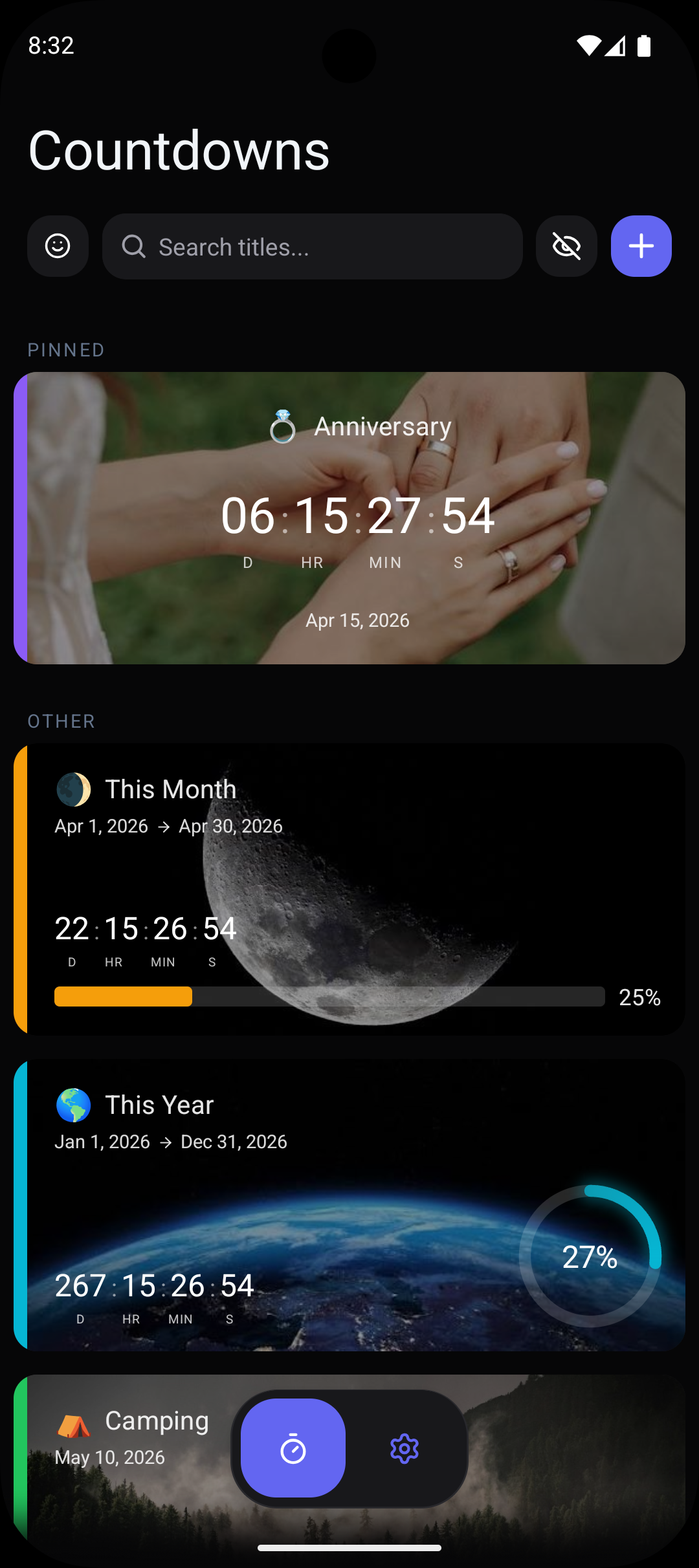
Most countdown apps force you into a one-size-fits-all display: days, hours, minutes, seconds. But this approach clutters the screen for long-term countdowns and lacks drama for short-term ones. The ability to configure display units is a fundamental feature that transforms a generic timer into a purpose-built countdown for any situation. Want a clean, minimal days-only widget on your home screen? Done. Want to add seconds for the final countdown to midnight on New Year's Eve? Done. This flexibility is what sets Countdawns apart from every other countdown app on Android, including popular alternatives that lock you into a fixed display format.
How Countdawns helps
- ✓Choose from any combination of time units: years, months, weeks, days, hours, minutes, and seconds — display only what matters for your specific countdown.
- ✓Switch units on the fly as your event approaches: show days-only for weeks before, then add hours and minutes in the final days for dramatic effect.
- ✓Create clean, minimal widgets by displaying only days, or go detailed with a full years-to-seconds breakdown — the choice is entirely yours.
- ✓Each countdown can have its own unit configuration, so your retirement countdown shows years while your concert countdown shows hours and minutes.
- ✓No other Android countdown app offers this level of display customization — competing apps lock you into a fixed format with no way to change what units are shown.
Frequently Asked Questions
What time units can I choose from in Countdawns?+
Can different countdowns show different units?+
Do other countdown apps offer custom units?+
Related Countdowns
Count down to your retirement date on Android. See years, months, and days remaining with home screen widgets. Celebrate the milestone. Free.
Track the New Year countdown on your Android home screen. See days, hours, and seconds until midnight on January 1st. Free widget.
Never miss a work deadline again. Track project deadlines on your Android home screen with countdown widgets and smart reminders. Free.