Why it matters
Missing a deadline can mean lost clients, lower grades, financial penalties, or damaged professional reputation. The problem is rarely that people do not care about deadlines — it is that they lose track of how quickly time passes. A visible countdown eliminates this blind spot by showing exactly how many days, hours, and minutes remain. This creates a psychological accountability loop: every time you see the countdown, you are prompted to assess your progress and adjust your pace.
How Countdawns helps
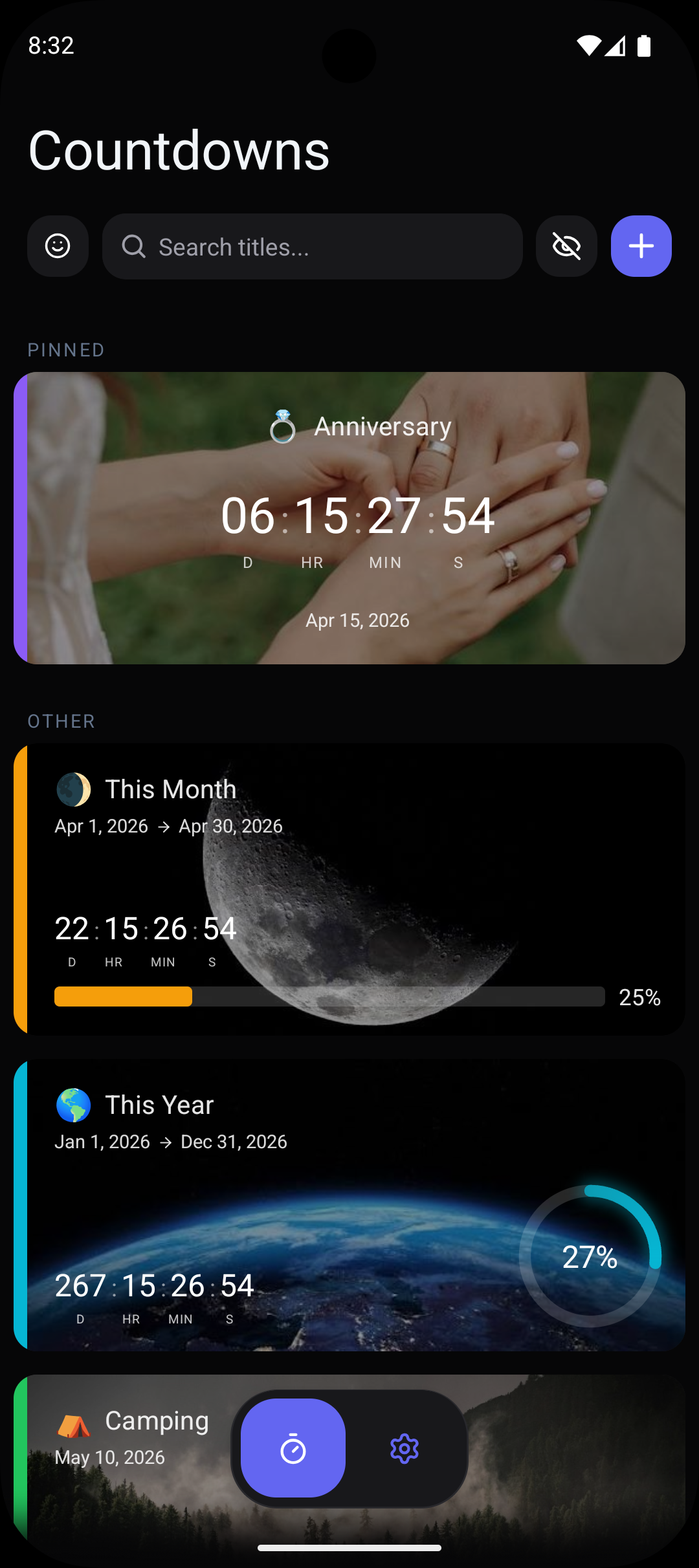
- ✓Place deadline countdown widgets directly on your Android home screen so due dates are impossible to ignore.
- ✓Track multiple project deadlines simultaneously with up to 10 free countdowns, each with distinct colors for quick identification.
- ✓Set escalating reminders: a gentle nudge 2 weeks out, a firm reminder at 1 week, and urgent alerts in the final 48 hours.
- ✓Display hours and minutes for tight deadlines, or days only for longer-term project milestones using the custom units feature.
- ✓Visualize progress with bars or rings that show how much of your available time has elapsed, creating healthy urgency.
Frequently Asked Questions
Can I track multiple project deadlines at the same time?+
Can I switch to showing hours instead of days as the deadline approaches?+
Does the deadline countdown support recurring deadlines?+
Related Countdowns
Stay motivated for exams with a countdown timer on your Android home screen. Track days until finals, SATs, or any test. Free download.
The only Android countdown app that lets you choose which time units to display. Show days only, add seconds, or pick any combination. Free.
Count down to your first day at a new job on Android. Track days until your start date with widgets, reminders, and custom designs. Free.