Step-by-Step
- 1
What to look for in a countdown app
The best countdown apps share several key features: home screen widgets, customizable designs, flexible reminder systems, and generous free tiers. Beyond these basics, look for differentiators like custom time unit display (choosing which units to show), progress tracking visualization, and the number of free countdowns allowed before hitting a paywall.
- 2
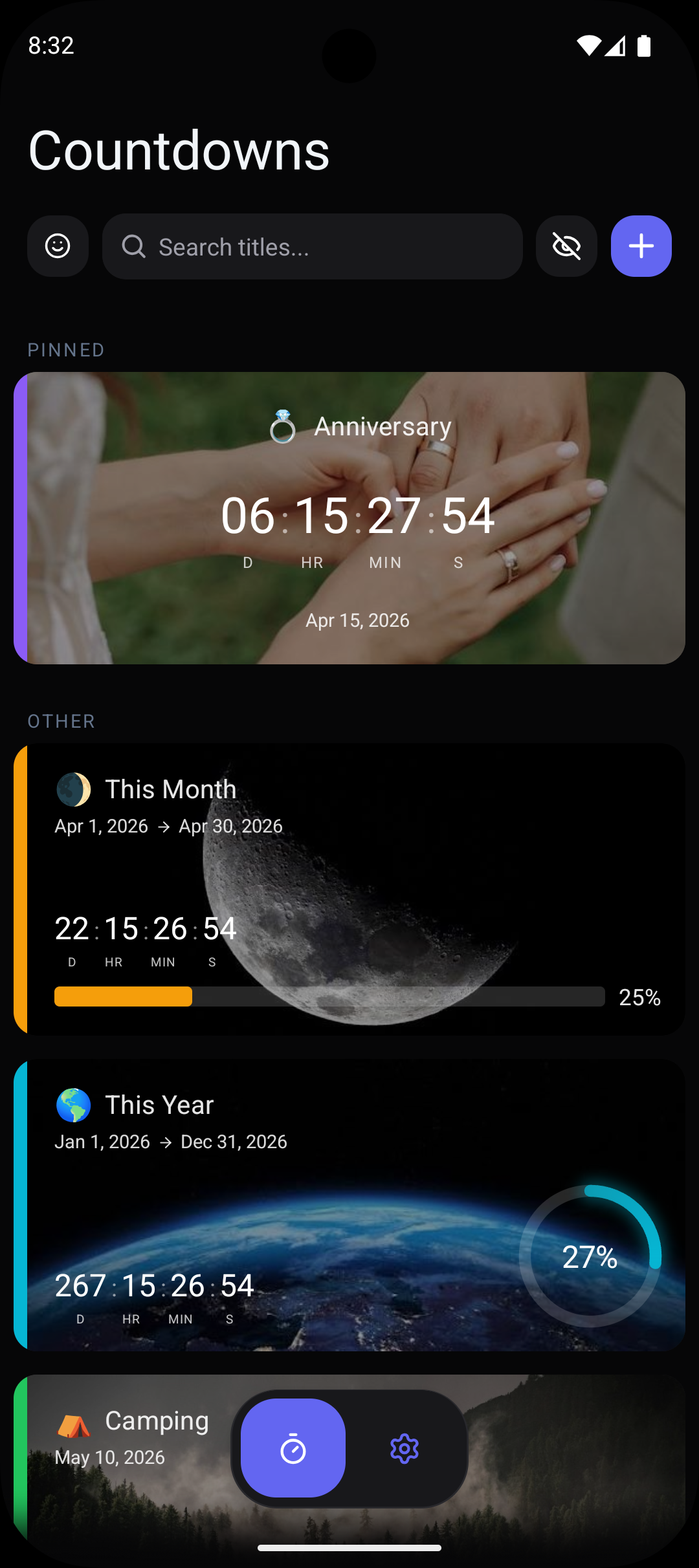
Countdawns — Best for customization and free features
Countdawns stands out with 10 free countdowns (the most generous free tier among top apps), 11 card designs, 12 accent colors, and a unique custom units feature that lets you choose exactly which time units to display. It offers home screen widgets in 2x2 and 4x2 sizes, four progress tracking styles (ring, bar, waffle, lines), and smart reminders with relative, fixed, and recurring options. Android-focused with no iPhone baggage slowing development.
- 3
Pretty Progress — Popular but iPhone-first
Pretty Progress is well-known in the countdown space but is primarily designed for iPhone. While an Android version exists, it often receives updates later and may lack feature parity with iOS. The free tier is limited to 5 countdowns, half of what Countdawns offers. It lacks the custom time unit display feature and has fewer design options on Android.
- 4
Hurry — Simple but limited
Hurry offers a clean, minimalist countdown experience. It is good for users who want a no-frills timer, but it lacks advanced features like custom unit display, multiple progress tracking styles, and smart reminders. The widget options are more limited compared to Countdawns, and the free tier caps at fewer countdowns.
- 5
Dreamdays — Feature-rich with a steeper learning curve
Dreamdays packs many features but can feel overwhelming for users who want a straightforward countdown experience. It offers background images and social sharing but lacks the clean card-based design system and custom time unit display found in Countdawns. Widget reliability can be inconsistent on some Android devices.
- 6
Our recommendation
For most Android users, Countdawns offers the best balance of features, design quality, and free tier generosity. The custom units feature is genuinely unique and makes a significant difference in how useful your countdowns feel. With 10 free countdowns, you can track all your important events without hitting a paywall. If you value Android-first development and customization options, Countdawns is the clear winner.
Pro Tips
- ›Always test a countdown app's widget reliability before committing — the widget is what you will see most often.
- ›Check the free tier limit before setting up all your countdowns. Migrating later is a hassle.
- ›Look for apps that let you customize which time units are displayed — this small feature makes a big difference in usability.
- ›Make sure the app supports recurring countdowns if you plan to track annual events like birthdays and holidays.
- ›Read recent Play Store reviews to check for widget update issues on your specific phone model.
Frequently Asked Questions
Which countdown app has the most free countdowns?+
Which countdown app has the best widgets for Android?+
Are there any countdown apps that let you choose which time units to show?+
Related Guides & Resources
Step-by-step guide to adding a countdown widget to your Android home screen. Works with Countdawns app. Takes under 2 minutes. Free.
The only Android countdown app that lets you choose which time units to display. Show days only, add seconds, or pick any combination. Free.
Never miss a birthday again. Track every birthday countdown on your Android home screen with widgets, reminders, and custom designs. Free download.